

Instagram has become a powerful platform for businesses to connect with customers, showcase products, and build a loyal audience. If you want to take advantage of Instagram’s features tailored for businesses, setting up a business account is the first step. This guide walks you through the process in simple steps, helping you create a professional Instagram business account that stands out.
Download the Instagram App
Before you start, make sure you have the Instagram app installed on your smartphone. It’s available for free on both iOS and Android devices. Simply visit the App Store or Google Play Store, search for Instagram, and download the app.
Once installed, open the app to begin the sign-up process.
Sign Up for an Account
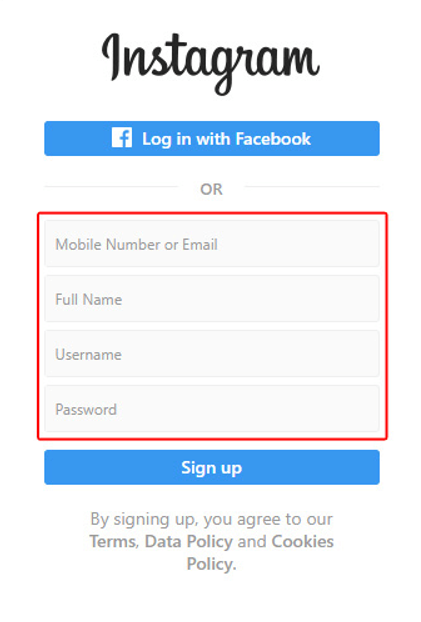
When you open Instagram for the first time, tap Sign Up to create a new account. You can register using either your email address or phone number. Choose the option that works best for you.
Next, create a username that reflects your business name or brand. This username will be how people find you on Instagram, so keep it clear and memorable. Then, set a strong password to protect your account.
Switch to a Business Account
After creating your personal account, you need to switch it to a business account to access features like insights, ads, and contact buttons.
To do this:
- Go to your profile by tapping your profile picture at the bottom right.
- Tap the menu icon (three horizontal lines) at the top right.
- Select Settings.
- Tap Account.
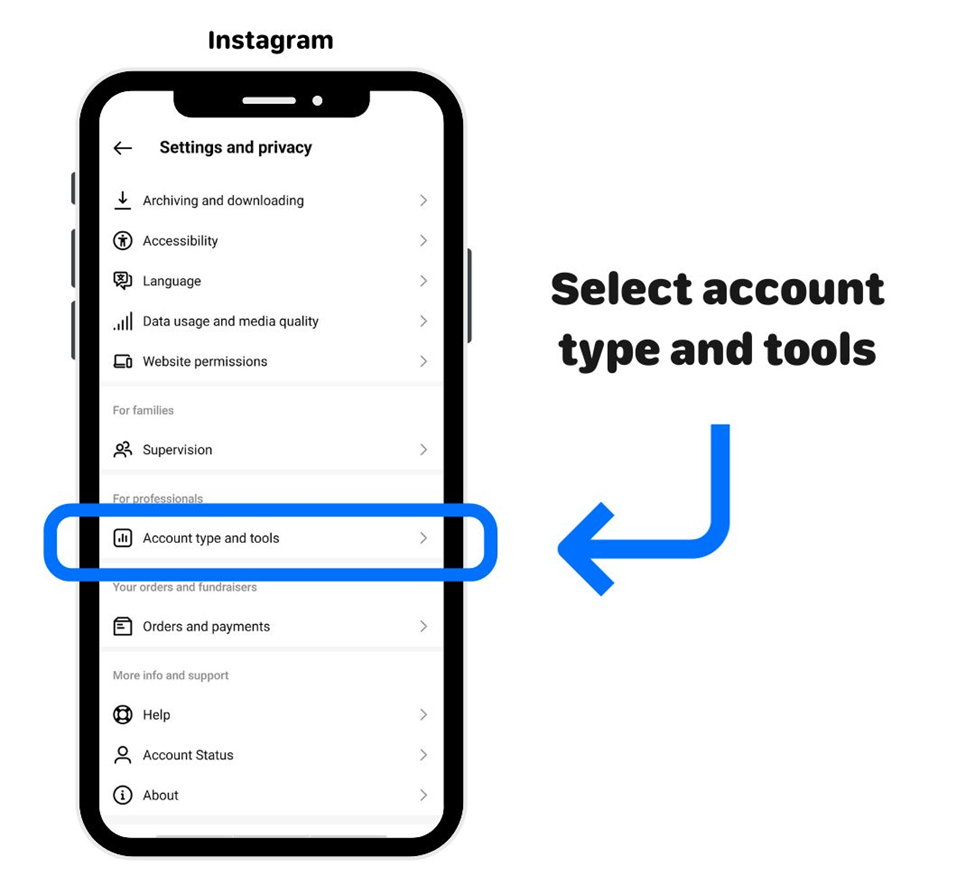
- Choose Switch to Professional Account.

- Select Business as the account type.
- Follow the prompts to connect your Facebook Page if you have one (optional but recommended).
Switching to a business account unlocks tools that help you understand your audience and promote your products or services effectively.
Complete Your Profile
A complete profile builds trust and encourages visitors to follow you. Add these key elements:
- Profile photo: Use your business logo or a clear image that represents your brand.
- Business name: Make sure it matches your official business name for consistency.
- Bio: Write a short description of your services or what your business offers. Keep it concise and engaging.
- Website link: If you have a website, add the URL here so visitors can learn more or make purchases.
A well-crafted profile helps visitors quickly understand what your business is about.
Add Contact Options
Make it easy for customers to reach you by adding contact details:
- Tap Edit Profile.
- Select Contact Options.
- Add your business email address.
- Include a phone number where customers can call or text.
- Optionally, add your business address if you have a physical location.
These contact buttons will appear on your profile, allowing customers to get in touch without leaving Instagram.
Post Your First Content
Your profile is ready, but an Instagram account without posts looks inactive. Tap the + (Create) button to add your first post. Here are some ideas to get started:
- Introduce your business with a welcoming message.
- Share photos of your products or services.
- Post before and after images if your business offers transformations or improvements.
Regular posting helps attract followers and keeps your audience engaged.